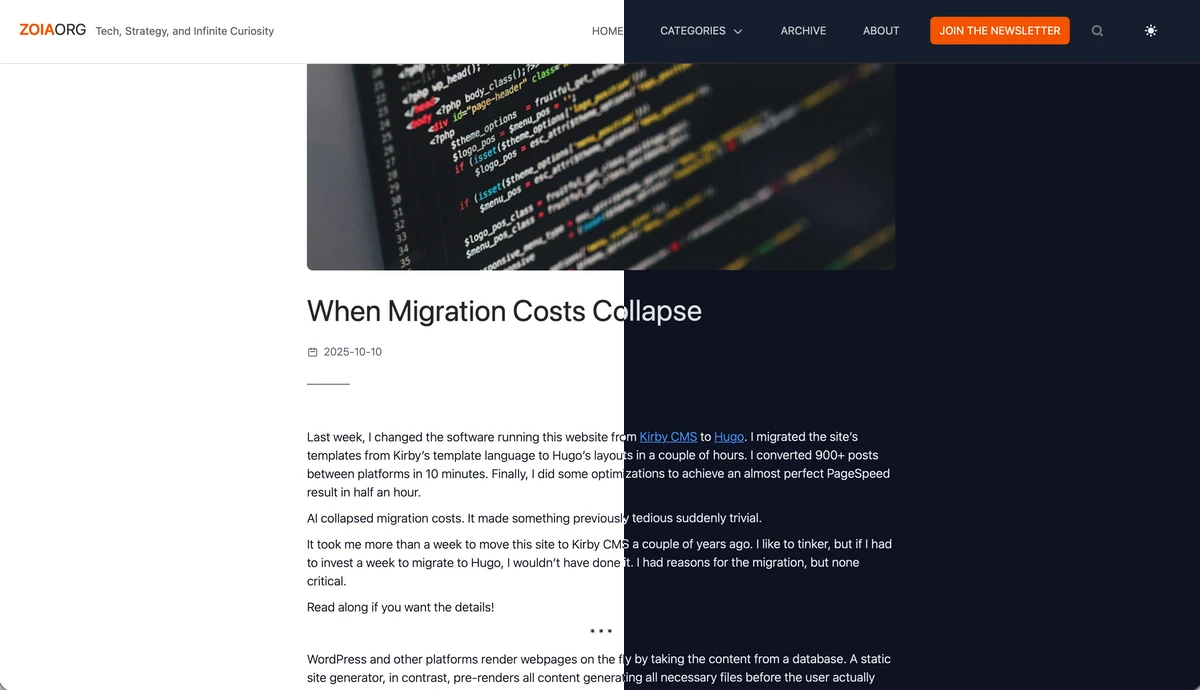
Dark theme now available
I’ve finally added a dark-theme option to zoia.org. I wanted to do this long time ago, but I kept deferring it because of the time implied… (That’s the downside of coding your own theme.)
With the help of Claude Code, it took me 35 minutes total. Most of the time I was checking Claude’s proposed changes, or just watching how it modified the code and then ran tests to verify its own changes.
Like I wrote, AI allows you to do things you would have not consider doing just because of the time investment.
* * *
In case you’re curious, this is the prompt I used (inside VS Code with the Claude Code extension):
My Hugo theme 'ristretto' (in themes/ristretto) is a light theme. I want the theme to offer both dark and light options. Make the necessary modifications, taking into account:

* I'm using Hugo 0.151.0, so Hugo no longers stores default templates under layouts/_defaults but directly under layouts.
* I'm using TailwindCSS
* You should choose an appropriate pallete for the dark theme.
* Include a toggle switch in the nav bar to toggle between light and dark manually.
* Check the _partials directory and make sure all necessary files support dark mode. For example, book-card.html
* There are subdirectories in the layout folders like archive, posts, reading-books and saerch which contain layouts for rendering those pages. Check that they are supporting dark mode.
* The /search page displays the results using PageFind's UI and css styles. Make the necessary changes so that the results also reflect the dark or light theme.